
01 / Features
A library that plays your way.
Turn a folder of MIDI files into a setlist. Search songs, save favorites, and find them again when you need them.
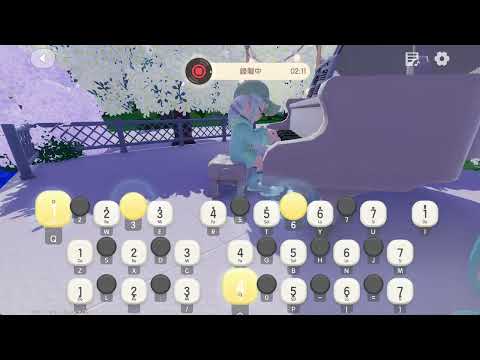
Read this guideDreamLyra is an auto piano tool for Windows 10 / 11 that turns MIDI into game instrument keystrokes. Start with piano in Heartopia: load a song, match the keys, and return to your game to hear it.
A performance in your game. It starts with DreamLyra.
Scroll down. Open DreamLyra and watch the stage unfold.

Scroll into the video to hear what’s possible.
Interactive demo
Choose a demo song, adjust the settings, then press play.
Selected song
Ready when you are. Try pressing play.
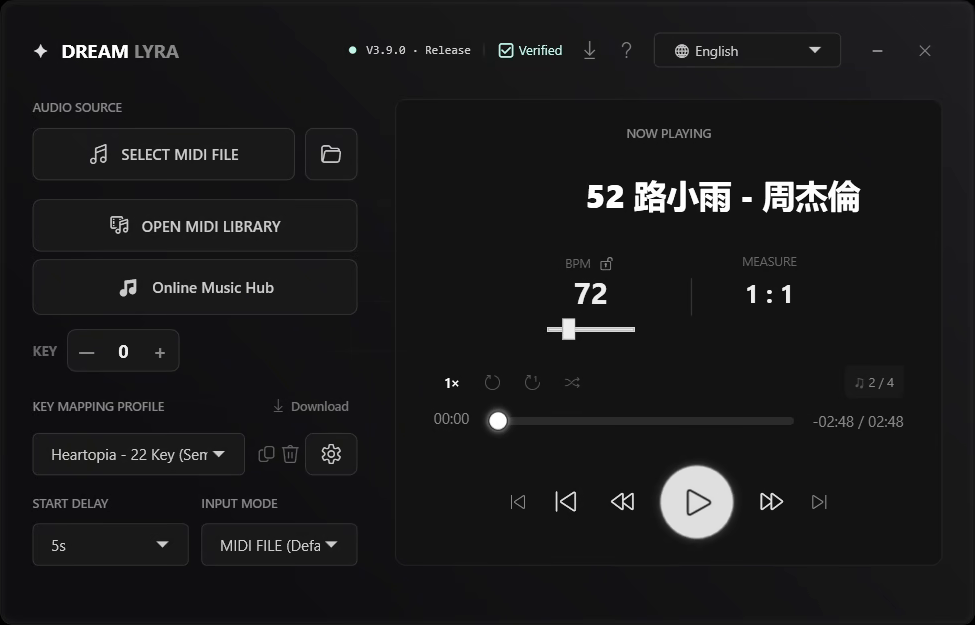
DreamLyra turns MIDI into game instrument keystrokes. The sound comes from your game.
Choose a step to see it in the real app.
Your song is selected. Get your keys ready.
Four recorded actions show how to prepare a performance.
Turn a folder of MIDI files into a setlist. Search songs, save favorites, and find them again when you need them.
Read this guideExplore songs, read track details, and preview them in your game through the built-in store.
Read this guideChoose a key profile for your instrument. Download a preset, adjust the range, or make your own mapping.
Read this guideLeave time to switch back to your game.
Slow down to practice, or restore the original pace.
Shift pitch to fit your game instrument.
Control playback while you stay in the game.
Download the Windows app, install it, and open DreamLyra.
02Load a MIDI file and select the keys for your game instrument.
03Check your instrument and start delay. In MIDI file mode, use F8 to play or pause.
Get a lifetime DreamLyra license with a one-time purchase on Gumroad. After purchase, paste your key into DreamLyra’s license window to unlock the full application.
Your license is tied to its activated device. For a new computer, reinstallation or hardware changes, see the FAQ or contact support.
Each paid song costs 50 credits. Choose a pack for the songs you want, then use your credits as needed. Credits and the lifetime app license are separate purchases.
US$5.00
USD checkout
3 songs
150 credits
Planned TWD priceNT$159
US$9.99
USD checkout
7 songs
350 credits
Planned TWD priceNT$299
US$19.99
USD checkout
15 songs
750 credits
Planned TWD priceNT$599
US$49.99
USD checkout
40 songs
2,000 credits
Planned TWD priceNT$1,490
TWD checkout is not available yet. NT$ amounts are planned local prices, not USD conversions. Current payments are charged in USD.
Gumroad and PayPal currently charge in USD. Applicable taxes appear at checkout; currency conversion charges depend on your payment provider.
Download DreamLyra and try your first song. If it fits the way you play, choose a lifetime license.
The app license and store songs are offered separately. Check the purchase page for current license and promotion details.